Beatflyer / 2021–26
Music-powered visuals for promoters and producers, redesigned each time the technology moved.
- Problem
- Event organisers, DJs, producers and labels promote on social media with static posts made in Canva. For people who care about music and visual impact a still image doesn’t carry it, and a proper video takes an editor and time.
- My part
- Founder, as a side project combining design, coding and motion graphics. Opportunity, research, product strategy, prototyping, design, development, launch and distribution, alone.
- The idea
- Visuals that move in time with the music by default, with no keyframes. Then keep removing what the customer has to bring: first a finished design, then a form, then a template, now a sentence.
- What shipped
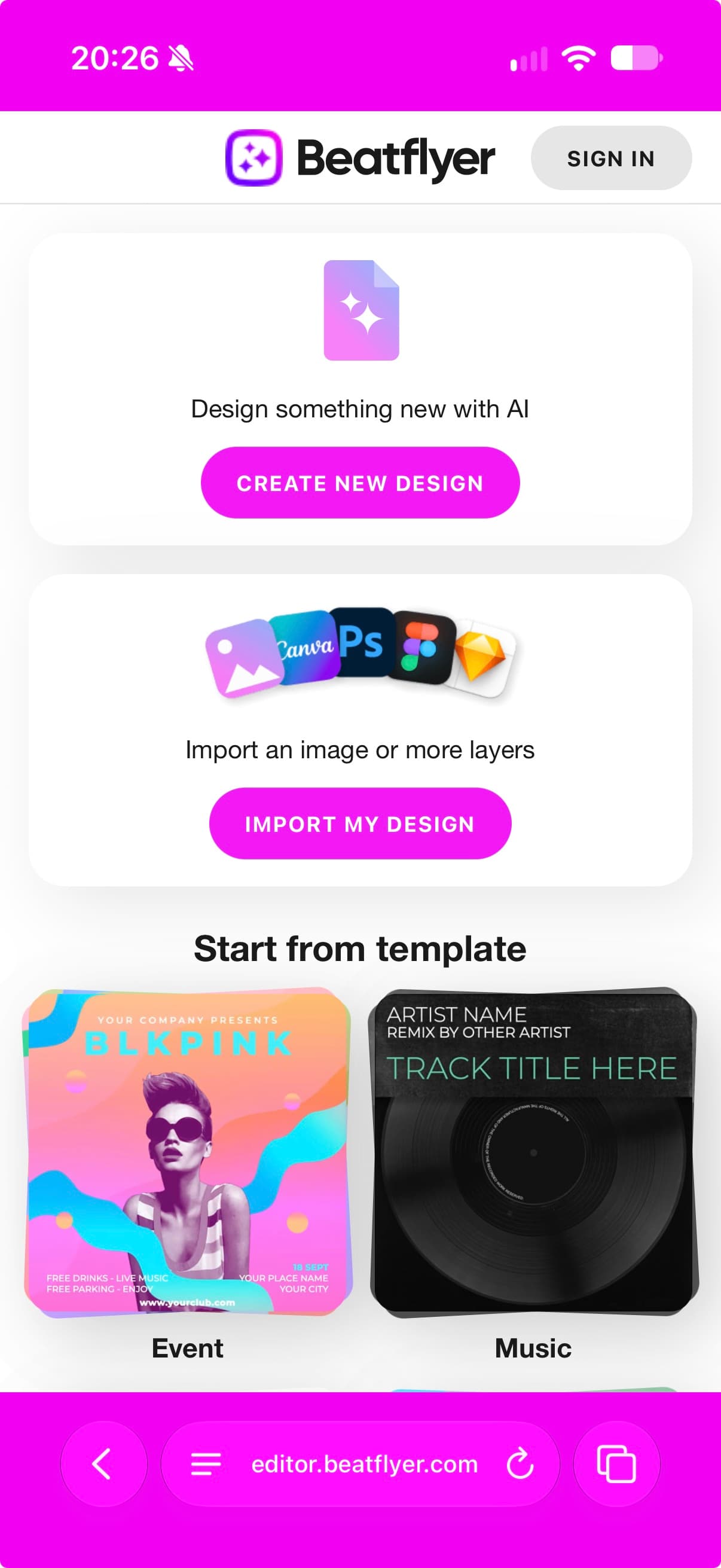
- Web app since 2021, the same editor on phones, and a native macOS app focused on AI. Hundreds of videos a day, for DJs, producers and labels, from Todd Terry to BBE Music.
The setting
Beatflyer is the product I keep coming back to. I started it in 2021 as a side project where I could combine what I had learned about design, coding and motion graphics, and every job on it, from spotting the opportunity to distribution, has been mine.
It is for music event organisers, DJs, producers and labels: people who care about music and visual impact. They promote on social media, and a static post made in Canva doesn't carry what the music does; a proper video takes an editor and time they don't have. Beatflyer sits between the two. Its visuals move in time with the soundtrack, every element, with no keyframes to set. Something more powerful than Canva, for this one audience.
How I worked
What to remove next, at each stage below, came from the customers. I run frequent surveys, and I set up a design partners group, a selection of customers who see and shape things first. The channels get the same treatment: each one is run as an experiment in who the product is for, and ended when it has taught what it can. Lately the building itself has changed too; Faster and deeper with AI is about that.
The evolution
The idea has stayed the same. What changed, four times, is where the customer starts. Each stage removed one thing they had to bring, driven by the need to find product-market fit and grow, and sometimes by new technology: better browsers for recording video, and lately hardware-accelerated virtual machines for rendering in the cloud.
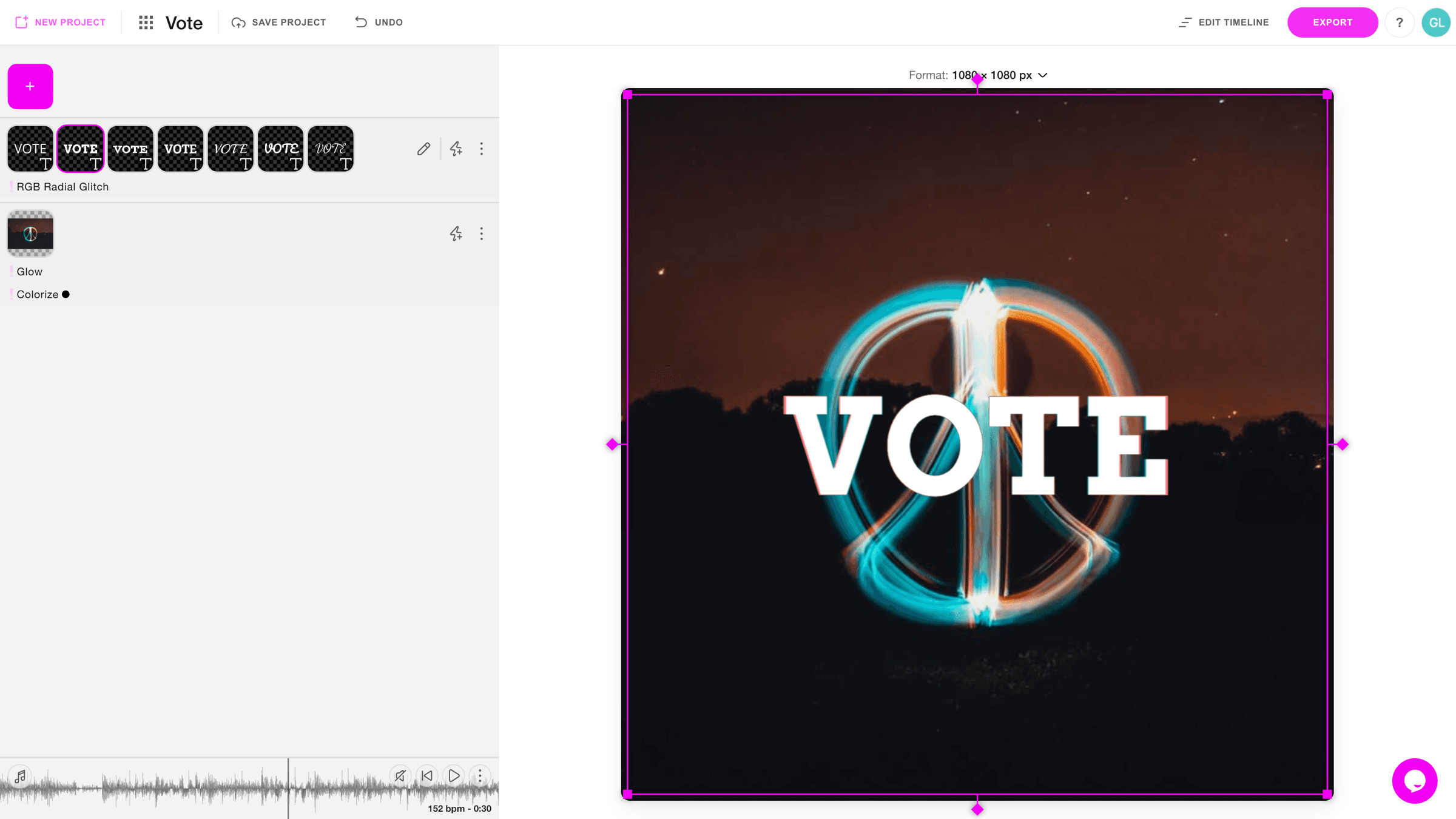
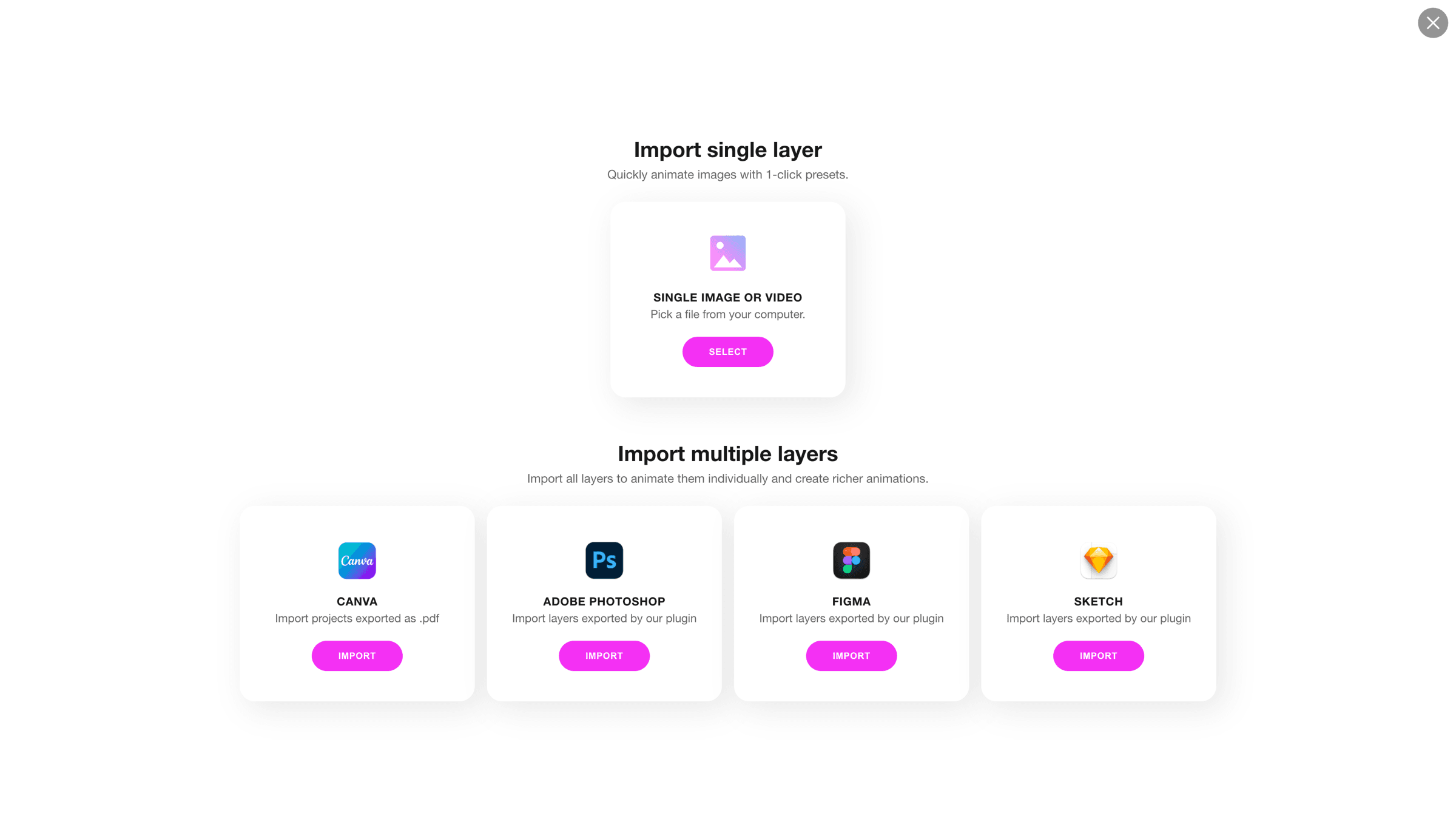
Animate an existing design, 2021. Import the layers of a flyer made elsewhere, add the track, and the design moves to the music.

Design inside Beatflyer, 2022. Then the design itself, so nothing had to be made elsewhere first: a canvas, layers, text with its fonts, images and video, and on every layer the effects that react to the track.

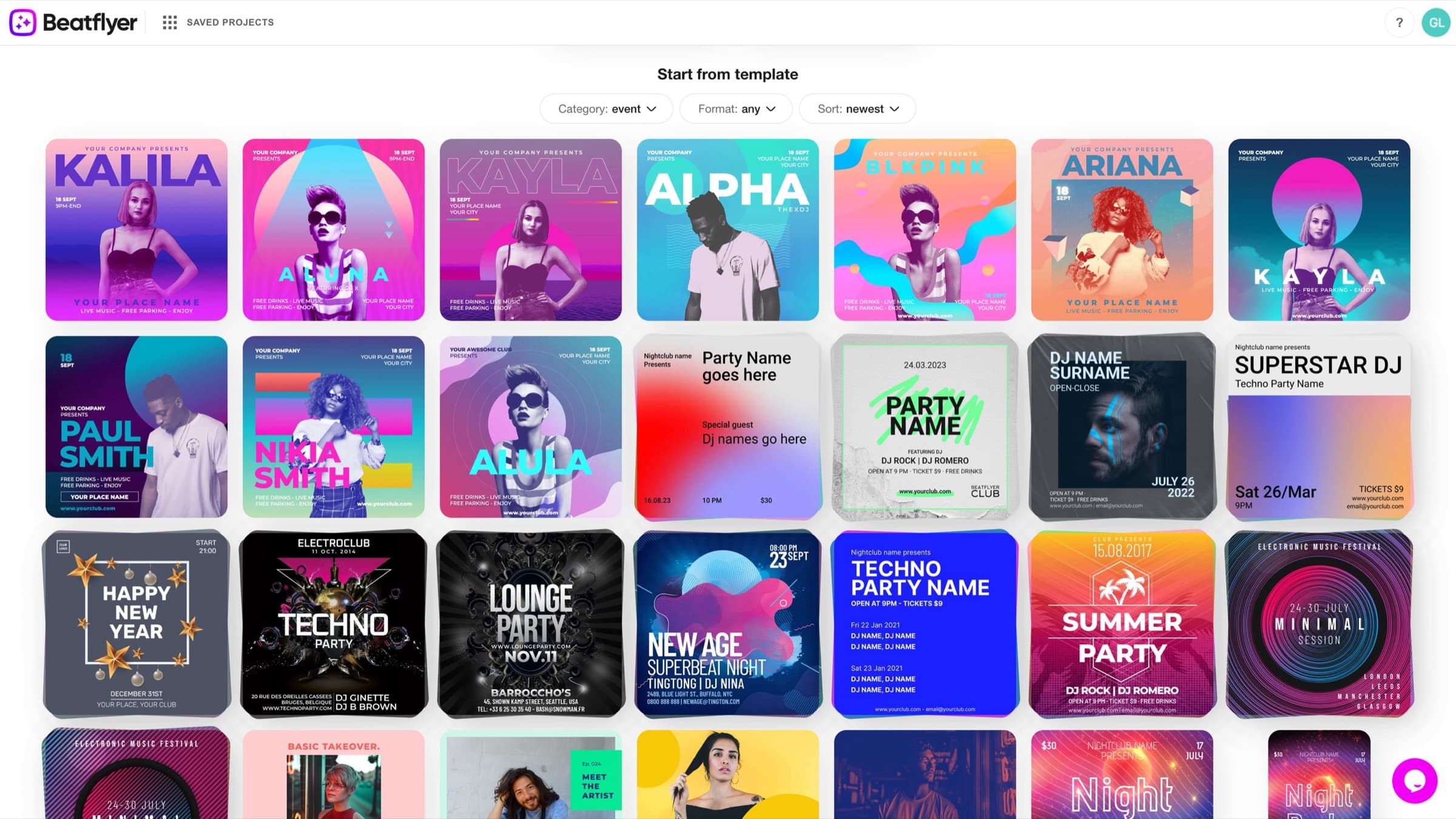
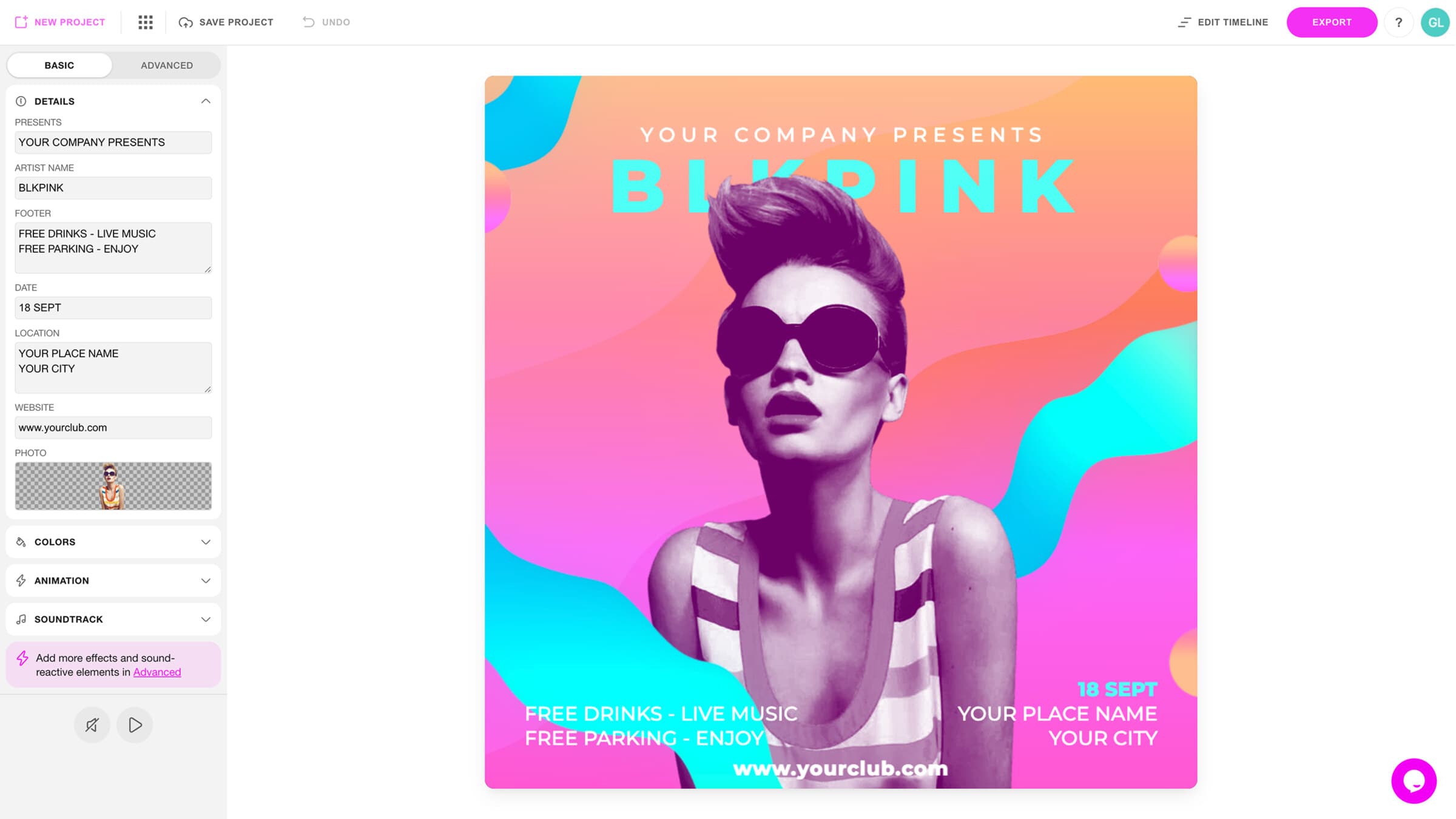
Templates, 2023. Then a starting look. A template turns the canvas into a form, artist, date, venue, photo, so the first result is good before anything is designed, because the customer is not a designer.
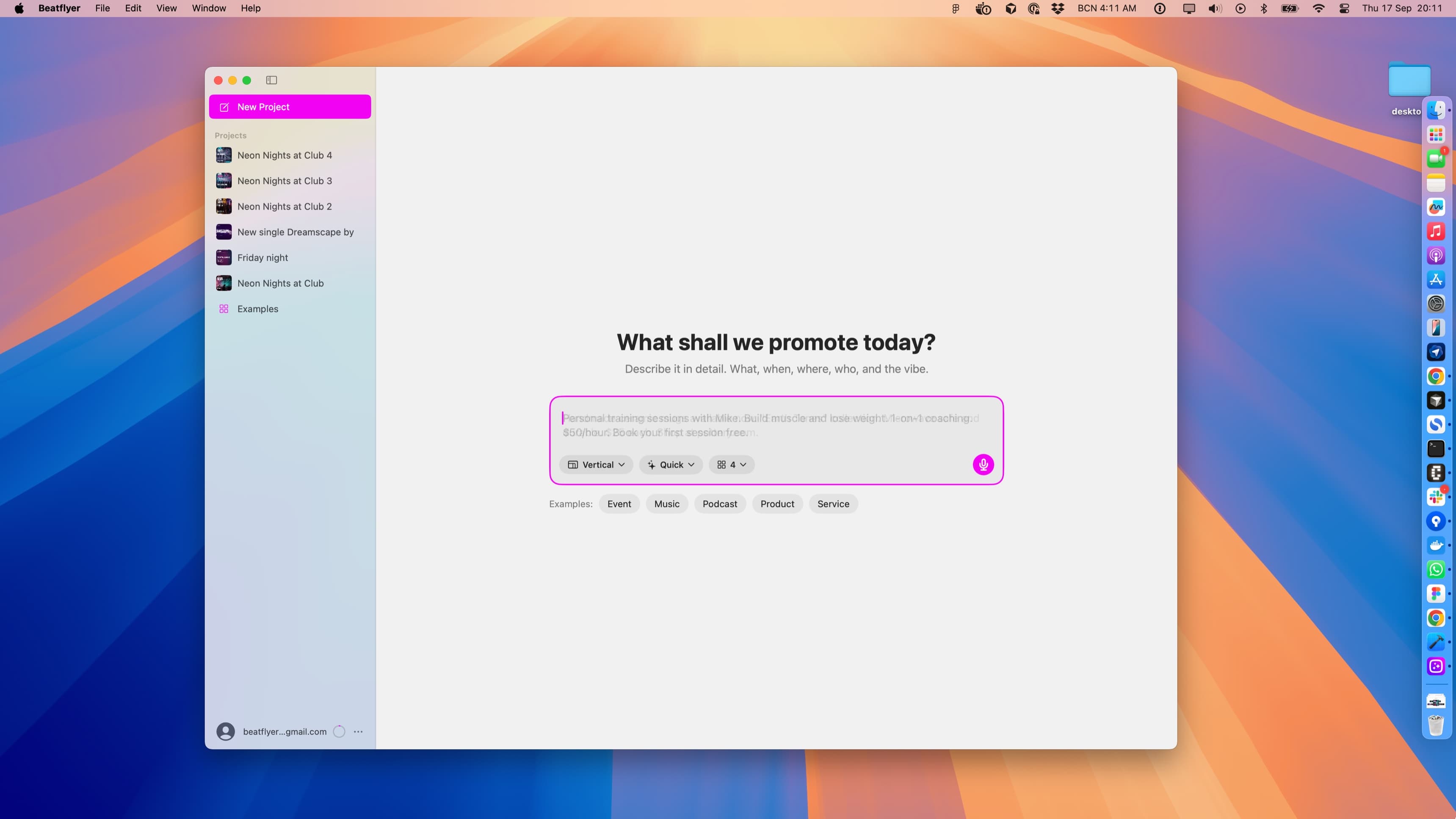
A sentence, 2025. Now the customer describes what they are promoting, and Beatflyer generates the layout and the background, which can themselves be animated with AI. What remains to do is edit in place, by direct manipulation, and record.
The choices
Start as an add-on
- Chose
- Start by animating designs made elsewhere, importing layers from the tools people already used.
- Over
- Building an editor firstA template library first
The quickest way to learn whether visuals that move to the music were worth paying for was to add them to flyers that already existed, with Canva, Photoshop, Figma and Sketch coming one at a time. The downside was being invisible until the design was done, with no say in the design itself. The next two stages fixed that.
Sound-reactive by default
- Chose
- Every element moves to the track from the start, with no keyframes to set.
- Over
- A keyframe timeline, as in video editorsA library of animation presets to apply by hand
It gives up control, which is why the Advanced tab and the timeline exist, for the few who want more than the default. Over time I moved some of it into the basic mode, selecting and moving items first. For this audience the music is the point, so the motion should come from it, and the first result is already animated.
One product on the phone
- Chose
- The same responsive editor on desktop and phone.
- Over
- A separate, simpler mobile appDesktop only, with the phone for viewing
DJs and promoters make the post where they publish it. So everything has to work with a thumb, which limits what can be added, and every new feature gets designed twice.

Generate layout and background separately
- Chose
- The AI produces a text layout and a background as two separate, swappable, editable things.
- Over
- One-shot image generation of the finished flyerStopping at templates, with AI only filling the text
A generated image looks finished and cannot be changed, and a promoter always has something to change: the date, the name, the price. Keeping the layout as real layers means the result can still be edited and animated. It takes two generations per design, and a step to choose between them before the editor. That cost is visible on purpose: the AI usage meter, the Quick option and the number of variants put the running costs in front of the customer.
The AI generates two things only: the background image, which can be turned into video, and the text layout. Everything after that is the customer's: remove elements, edit the content, add effects. The mistake it makes most is making up too much content, so removing an element is the easiest thing in the editor.
The Mac app
The most recent version, in 2026, is native, for macOS. AI made it possible to port the code, but deciding what to port was still up to me. The Mac app is focused on AI: describe, generate, edit, record. No ready-made templates, no designing from scratch, no import. AI models are getting better at designing, and the other ways in are becoming the long way round.

The harder part was moving the interface to native controls: macOS is not as homogeneous as iOS in how apps use its widgets, so there was no single obvious equivalent for each part of the web app, and every choice was mine to make.
Distribution
Distribution was my job too, and the part with the least design in it, though it turned out to be where I learned the most about who the product was for. Beatflyer ran lifetime deals on AppSumo, which I ended after a few months: they boosted the cash flow, and they were a way to watch people use Beatflyer for use cases I hadn't planned for. Instagram ads did the same job in a different way, testing which use cases resonated and in which countries; their cost grew over the years and they are less useful now. What has kept working is search, another learning curve of its own.
What happened
Beatflyer generates hundreds of videos a day. It is used by DJs, producers and labels: Todd Terry calls it his promotion superpower, Junior Sanchez a must for anyone promoting music at scale. BBE Music uses it for Spotify Canvas, a format I hadn't designed for and customers found on their own.
Looking back
I'd keep treating every channel as an experiment. AppSumo and the ads paid for themselves in what they showed me about use cases and places, as much as in revenue.
And I would add less. It is easy to fall into the trap of adding feature after feature, when the best products do a few things well. I am more cautious about new features now. The Mac app does one thing.