Glide / 2022–26
Making automation, and then AI, first-class parts of building business software.

- Problem
- Glide apps could only automate in response to a tap; anything scheduled, data-driven or triggered from outside meant leaving for Zapier or Make. AI then raised the same question at a larger scale: speed, at the cost of control over data, logic and interface.
- My part
- Early employee bringing structure to product development, growing into product strategy and business decisions. Identified automation as the opportunity, sponsored and led the initiative that became Workflows, and designed it myself, with engineers building it. Then the conversation model and the mockup-before-build step of the AI builder.
- The idea
- Sophisticated automation that is easy to understand: one sequence read top to bottom, with the workflow’s health on the same screen as its logic. Then, with AI, a mockup to look over before anything real is built.
- What shipped
- Workflows, designed and shipped in 2024, which increased revenues through automations customers rarely switch off. Then the AI builder’s conversation and mockup-before-build flow.
Why automation
Glide is the platform businesses use to build their own software without writing code: screens over data, assembled rather than programmed. When I joined, its apps could automate, but only in response to a tap. An action ran when someone pressed a button. Nothing could run on a schedule, on new data arriving, or from an outside system, and a business that needed that left Glide for Zapier or Make, taking the value and the data with it. Automation was the opportunity I identified, and the one I put myself behind.
What I did
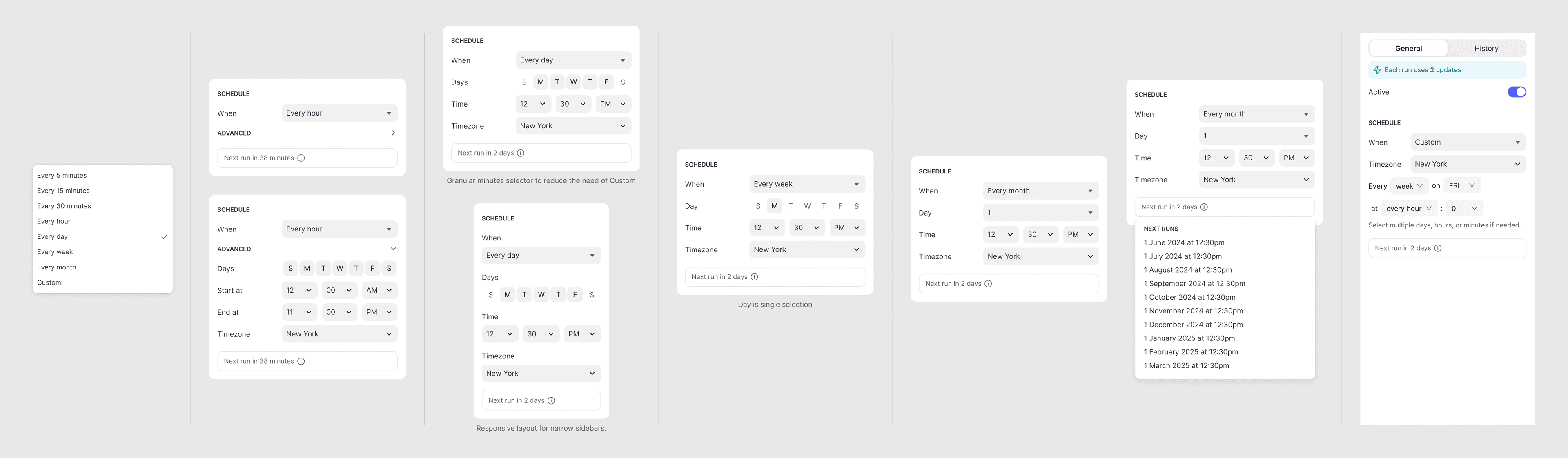
I joined Glide in March 2022 as an early employee, alongside former colleagues, to bring structure to product development: discovery, prioritisation, prototyping and execution. The role grew into product strategy and business decisions. Workflows I sponsored and led as a cross-functional initiative, and I designed it myself: the interaction model and the screens, end to end, with engineers building it. It started and shipped in 2024.
The idea
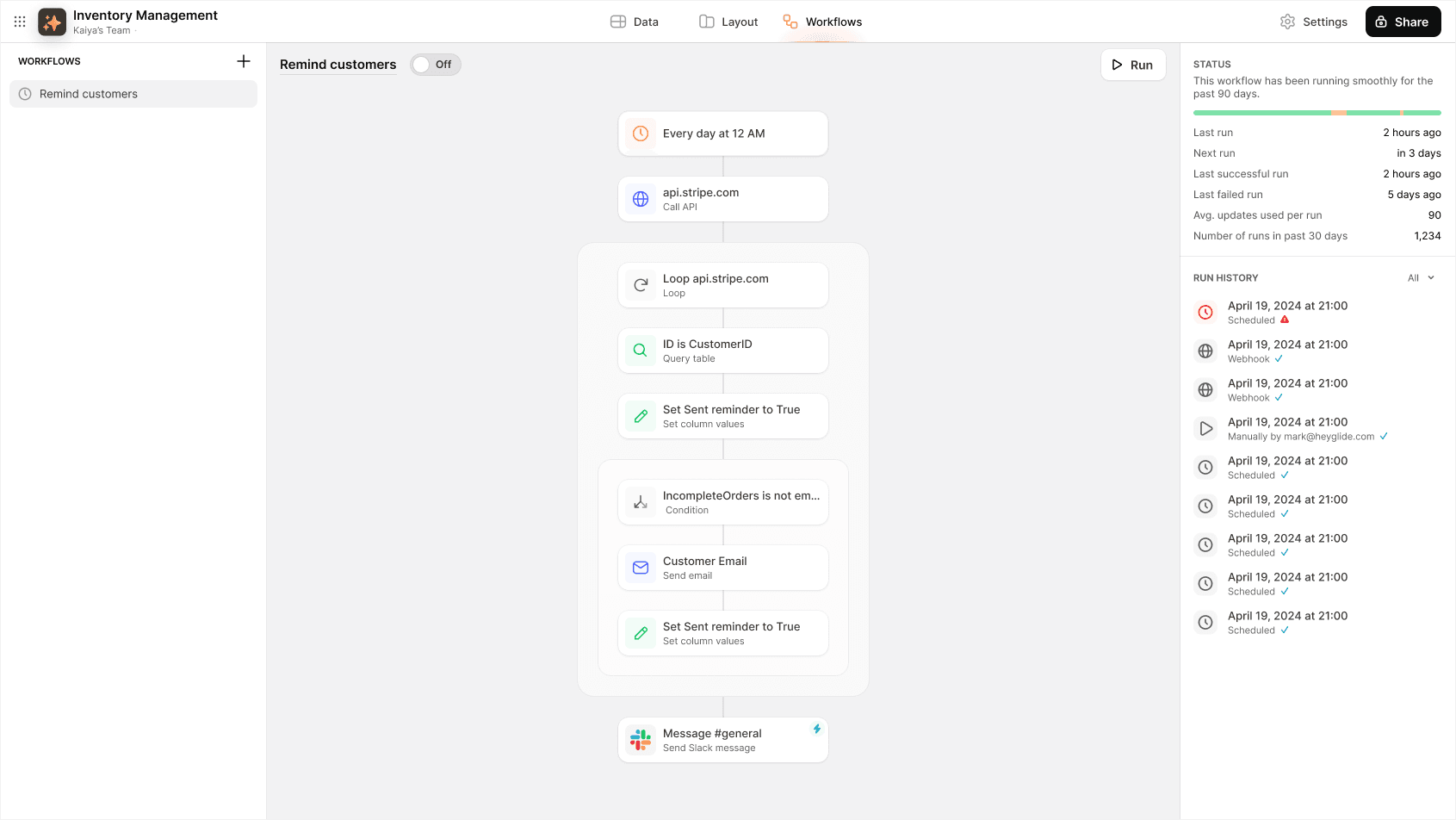
Sophisticated automation that is easy to understand. A workflow is one sequence, read top to bottom, made of the same steps a button could already run, so a builder learns nothing new to automate what they already do by hand. And because a workflow runs while nobody is watching, its health belongs on the same screen as its logic.

The choices
Loops and conditions are containers
- Chose
- A loop or a condition is a block that other steps sit inside; when it closes, the sequence carries on underneath.
- Over
- Branches forking off to the side, as in a node graphA flat list with jumps and stops
A container gives you steps that run regardless of which branch was taken before. With a fork, anything that has to happen after the choice is either repeated on every path or wired back through a merge; with a container it just comes next. The cost is depth: a condition inside a loop inside a condition gets harder to read, and the editor has to work to keep the nesting visible.
Status and history on the same screen as the logic
- Chose
- Last run, next run, failures and the run history sit beside the workflow, with a plain sentence at the top: ‘running smoothly for the past 90 days’.
- Over
- A separate logs pageNotifications only when a run fails
A separate logs page is what most tools have, and nobody opens it until something has already gone wrong. A workflow runs while its builder is doing something else, so the first thing they need when they come back is whether it is still running. The cost was space in the editor and the engineering to surface every run.
Making it real
Shipping Workflows
Workflows started and shipped in 2024. It increased revenues, through automations that are sticky: once a business has a process running by itself, it rarely wants to switch it off.
Then AI
Workflows made a no-code platform more capable without making it harder to understand. AI raised the same question at a larger scale. It could generate whole apps, but at the cost of control over data, logic and interface, and the work that followed was about how less technical builders could gain that speed without losing that control.
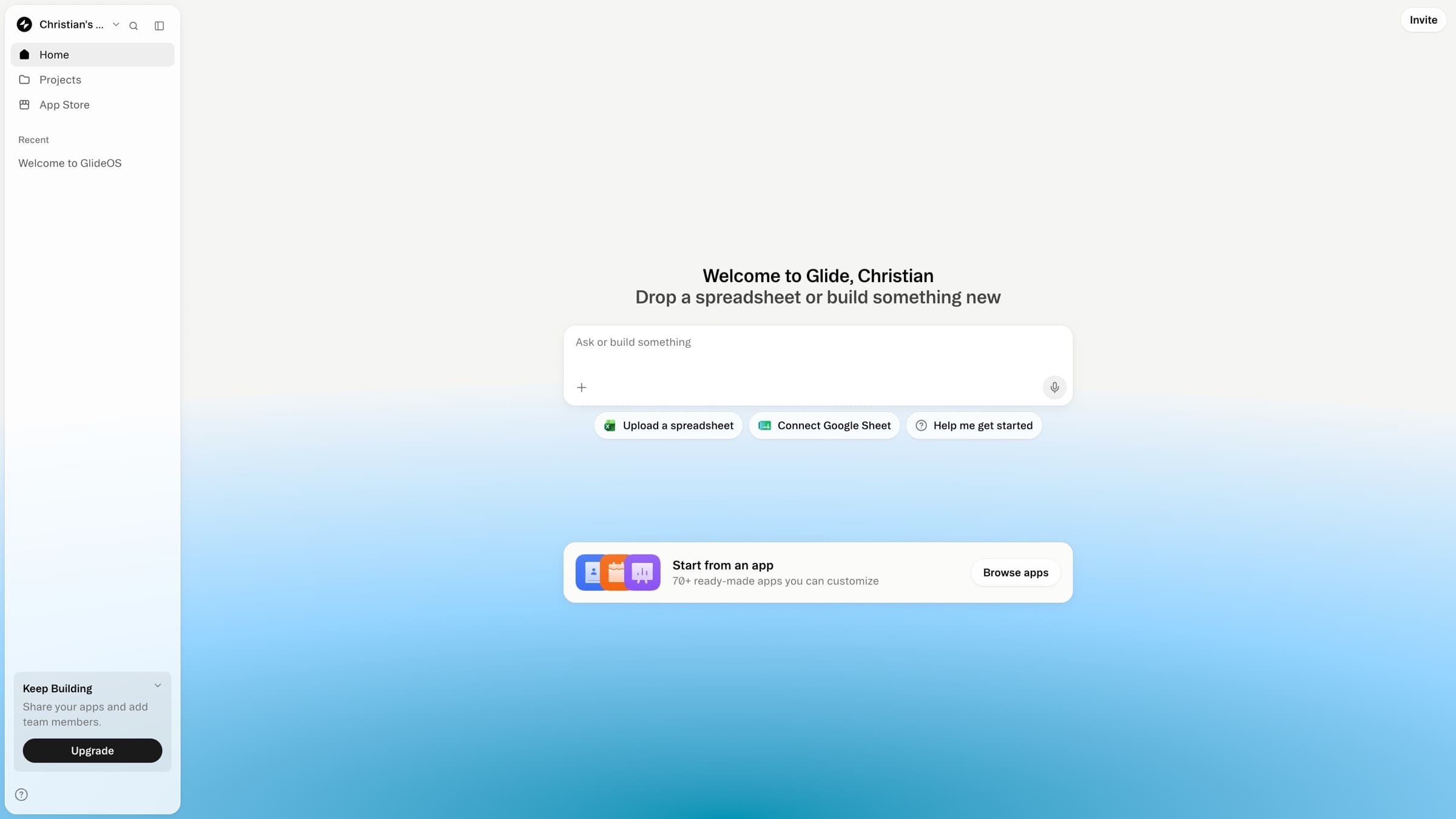
For three years Glide tried, each year, to introduce an AI builder. In 2025 it went all the way: the previous no-code platform was abandoned in favour of a re-platforming, the product that became GlideOS. Two parts of that were mine: the conversation model, what the agent asks, proposes and decides on its own, and the step where it produces a mockup to look over before anything is built.
A mockup before the build
- Chose
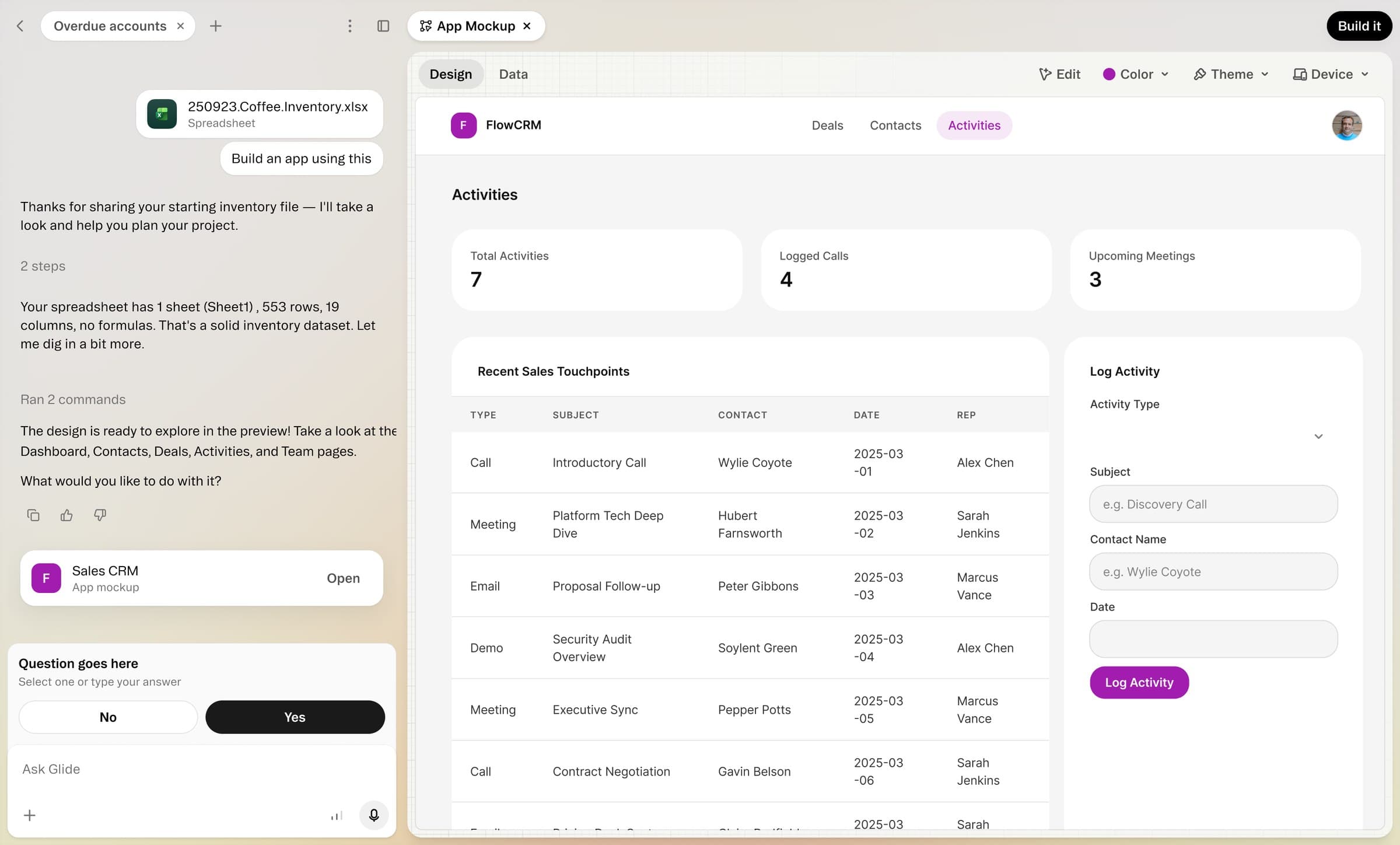
- The agent asks a few questions, then produces a mockup the builder can look over and change, and only then builds the real app.
- Over
- Generating the working app straight from the promptA form or wizard instead of a conversation
One prompt, one working app is the obvious move. The problem is that a wrong app is expensive to unpick, and the builder never got to say what they meant. A mockup is cheap to be wrong about: it invites “make some changes” before data, logic and screens exist. The cost is an extra step before anything real, and a mockup that has to promise no more than the build will deliver.

Looking back
The work I'm proudest of at Glide isn't a screen. It's the effort, over several years, to keep the company focused on the customers it served best when other segments looked tempting. Deciding who a product is for is the design decision everything else depends on, and it's where I'd put my time again.
What I'd do differently is ask earlier for room to make bets of my own. I had strong views on where the product should go, and they held up; I should have asked to act on them, not only argued for them.